How Much Money Can You Earn Renting Out Your GPU on Vast.ai?

120,000+ AI developers are actively searching for compute. Your hardware is what they're looking for.
Whether you're running a single RTX 4090 in your home office or managing a datacenter full of H100s, your idle compute could be generating revenue for you right now.
So, how much money can you actually make renting out GPUs on Vast.ai? The short answer: it varies.
What Hosts Are Earning on Vast.ai
Your earnings depend on your specific hardware, uptime, reliability, rental type, and how your prices compare to similar listings. That said, as a host, here's a snapshot of what you might expect:
- Consumer GPUs like the RTX 5090 typically earn $0.30-$0.60 per GPU-hour, depending on your rental type and your reliability score. This score is a measure of uptime and connection stability. A four-GPU 5090 rig running at 80% utilization can generate $700-$1,400 per month. Use the host earnings calculator to estimate your specific hardware.
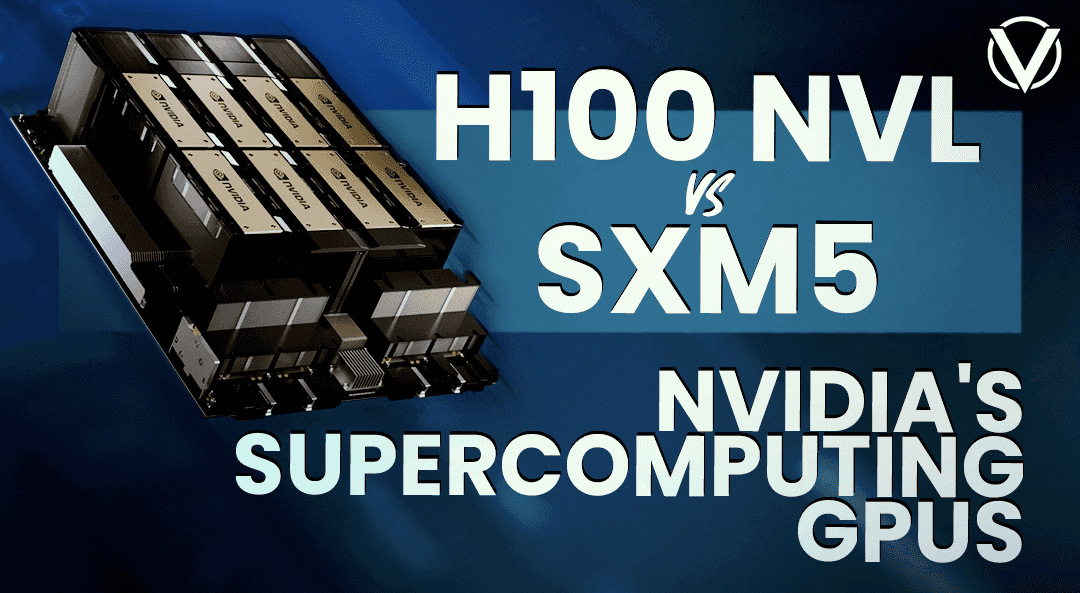
- Datacenter hardware commands much higher rates. H100s and H200s bring in $2.15-$4.00+ per GPU-hour. If you operate a GPU farm, you can turn dedicated infrastructure into a profitable compute business. Vast.ai even offers financing and will match you with enterprise clients looking for reserved compute, so you can presell capacity and have paying customers from day one.
For current market rates across the Vast.ai platform, check the public pricing page. Live GPU prices are typically about 25% above what hosts earn.
Once you log in and register at least one machine with Vast.ai, your host dashboard will show detailed market stats with occupancy rates and more, allowing you to optimize your pricing strategy and better estimate potential earnings.
How Vast.ai Works for Hosts
From hobbyists at home to datacenters and GPU farms, Vast.ai supports every scale. This flexibility is what makes the platform work for hundreds of providers already earning steady revenue.
Many GPU rental platforms lock you into contracts and dictate pricing structures. Some only work with datacenters, requiring certifications and minimum machine counts before you can even list.
Vast.ai is different. You set your rates, select your rental terms, and decide exactly how much bandwidth and storage to offer, whether you're running one GPU or one hundred. Note: hosting requires a separate account from your client account; a single account cannot be used for both.
To accommodate your needs, Vast.ai supports three rental models, each designed for different workloads and revenue strategies.
1. On-Demand Instances: Premium Pricing for Guaranteed Access
On-demand is your highest-earning option. Set a fixed hourly rate and an offer end date. When a client rents your machine, those terms lock into a rental contract that cannot be changed -- not by modifying the offer, not by unlisting the machine, not by any other action. Once a rental contract is created, its terms -- price, end date, hardware specs -- are fixed. Unlisting your machine prevents new rentals but does not affect any active contracts. You must keep the machine available through every contract's rental end date.
This option attracts clients who are willing to pay a premium for reliability and guaranteed access, but you don't have to pick just one rental type. You can maximize utilization by offering interruptible capacity alongside on-demand instances.
2. Interruptible Instances: Lower Rates, Higher Flexibility
Interruptibles work in a bidding system. As the host, you set a minimum interruptible price for a client to rent your machine. Clients set a bid price for their instance; the current highest bid is the instance that runs, with lower bids paused. On-demand rentals always take priority over all interruptible instances regardless of bid price. Higher bids instantly preempt lower ones, and on-demand rentals always take priority.
Interruptible instances appeal to clients who are willing to trade guaranteed uptime for 50-80% cost savings. You'll earn less per hour with interruptible instances vs. on-demand, but they fill gaps in time that would otherwise generate nothing, so most hosts offer both.
3. Reserved Instances: Long-Term Contracts at Discounted Rates
Reserved instances let clients secure long-term rentals at a reduced rate. If you choose to offer reserved instances, you set your maximum possible discount off your normal on-demand price. That discount scales with rental duration -- longer commitments unlock larger discounts, up to your set maximum. You can also set this value to zero to opt out of reserved pricing entirely.
The reserved model works well for predictable, stable revenue if you're willing to trade some margin for higher occupancy. Customers commit upfront to weeks or months of utilization. That means you spend less time managing short-term rentals.
How to Stand Out as a Host and Maximize Revenue
Once you're listed, a number of strategies can help you stand out and make more money:
- Price competitively at launch. New hosts often list their hardware at slightly below market rates to attract initial rentals and build a good reliability score faster. You can always adjust pricing later.
- Offer reserved instance discounts. Long-term contracts at discounted rates encourage more stable utilization and recurring revenue.
- Keep machines online. Strong uptime maintains your reliability score, which reflects connection stability. Note that reliability and verification are tracked independently; reliability drops don't affect your verification status. To avoid disruption, plan maintenance around active rental contracts. For unplanned maintenance, use the CLI's
schedule maintcommand, which notifies affected clients to save their work. - Get and stay verified. Vast.ai's automated verification process evaluates your machine's network stability, operational health, and performance. Verification runs on a randomized schedule. High-end hardware like H100s and 8x4090 rigs are typically tested fastest. Verified machines rank higher in search results and attract more rentals.
- Apply for data center certification. If you operate professionally managed infrastructure, you can become a Certified Data Center Partner, giving you the blue trust label, priority placement, Secure Cloud classification for enterprise compliance, and increased customer traffic.
Getting Started as a Host on Vast.ai
Becoming a host on Vast.ai is more straightforward than you might think. Setup complexity varies by hardware. The Host Setup guide walks you through Ubuntu installation, NVIDIA drivers, network port configuration, and other requirements. It can take as little as an hour.
But you don't need to figure everything out alone. Vast.ai maintains active host-only Discord channels where providers share troubleshooting advice, setup guidance, and optimization tips. Get peer support from operators who've already solved the problems you might encounter.
Once your machines are online, hosting becomes less hands-on. Simply maintain your hardware and let the earnings roll in. Or you can take a more active approach and gradually optimize pricing, experiment with different rental models, and expand into multi-GPU systems or dedicated GPU infrastructure over time.
The choice is yours.
The Bottom Line
On Vast.ai, hosts get a level of operational control and pricing transparency that's rare in the GPU cloud market. Whether you're hosting one GPU or an entire cluster, the platform is designed to let you monetize and grow on your own terms.
Here's what that means for you: 120,000+ developers are actively searching for compute on Vast.ai. That demand continues to grow, and it's waiting for your hardware. The only question is whether you're ready to start earning.
Want to put your hardware to work? Check current GPU Pricing Rates, explore the Host Setup guide, or jump straight in and list your first machine today.